
.svg)
Tournament Operator's Guide to Video Technology
Tournament video used to be a nice to have. Now it is one of the clearest ways to make your event more professional, more valuable, and easier to remember.
In the last couple of years, three forces changed the baseline for youth sports events.
First, parents got used to watching everything. When families are investing more in travel and local tournaments, they expect visibility, access, and a better experience around each game.
Second, highlights became the default way people consume sports. Players and families do not just want a final score. They want moments they can share, celebrate, and learn from.
Third, automation matured. Smart cameras, cloud processing, and AI have made multi-court coverage possible without building a full media crew for every gym.
For tournament operators, that creates a real opportunity. Video is no longer only content. It is the product layer that turns a weekend schedule into a professional experience, and it is also the engine for retention, sponsorship value, and year-round marketing.
This guide helps you choose the right approach by looking at the decision factors that actually matter at tournament scale, then comparing the major vendor types honestly, then giving you an ROI framework and an implementation checklist you can run before your next event.
I. The Tournament Video Technology Landscape
What changed in the last 2 years
The shift is not simply better cameras. The shift is that video is now expected to arrive in a productized way.
Parents do not want a Dropbox link.Coaches do not want to chase down clips from three different courts. Players do not want a single team highlight reel, they want all of their plays.
The modern expectation is personalization, and personalization requires structure. Structure usually means one of three things:
- A platform that captures video consistently across courts
- A workflow that turns video into searchable moments and shareable clips
- A delivery mechanism that makes content easy to find and easy to share
If you only solve the first piece, you still get complaints like I cannot find my kid, I had to scrub the whole game, or the stream quality was fine but I never got clips.
If you solve all three, you upgrade your event experience, and you create a reason for teams to come back.
Parent expectations are now baseline
Parents expect three layers:
- Access: live stream and video on demand replays
- Convenience: an event hub where they can find the right court and game quickly
- Shareability: short clips for texts, group chats, and social
The best tournament operators treat those expectations like a customer experience checklist, not an optional add on.
The differentiation opportunity
Video technology can be a cost center, or it can be a flywheel.
When your video solution produces highlights and stats, it powers:
Marketing for your next event without extra spend
Sponsor packages that include branded replays and clips
Recruiting visibility and player pride
Better coach buy-in, which increases retention
That is why the real question is not whether we do video. The question is what level of outcome do we need the integrated video stack to produce.
II. 5 Decision Factors for Tournament Video Tech
This section is the buyer’s rubric. If you get these five right, the vendor choice becomes obvious.
1. Multi-court scalability
Your vendor should match your court count and your staffing reality.
Every solution looks good at two courts, because two courts can be manually managed. The problems show up when you hit peak concurrency, when games run long, when schedules shift, when batteries die, when WiFi drops, and when you have to cover ten things at once.
A useful way to think about scale is by tiers:
Tier A: 1 to 3 courts
Tier B: 4 to 8 courts
Tier C: 9 or more courts, or multiple venues
At Tier A, DIY can work if you have reliable staff and low expectations. At Tier B, you need repeatable workflows and fewer manual steps.At Tier C, automation becomes the difference between video existing, and video opportunities being lost forever.
What to ask vendors:
How many courts can one staff member manage on game day using your system
What happens when the schedule changes mid day
Do you support back to back game workflows without manual resets
How does the system handle a loss of connection
2. Turnaround time
Turnaround time is not one number. It is three different promises:
- Live: can families watch while the game is happening
- Same day: can players share clips while the tournament is still going on
- Post event: can coaches review film and stats within a day or two
So the practical decision is:
If your event promise is live viewing, prioritize capture plus streaming.
If your event promise is player outcomes, prioritize breakdown plus delivery.
If you need both, you either combine systems or choose a vendor that supports both reliably.
3. Parent delivery mechanism
This is where many operators underestimate what matters.
Parents do not care about your camera model. They care about how fast they can find:
Their court
Their team
Their athlete
Their clips
Delivery tends to fall into five patterns:
Pattern 1: A raw live stream link per court
Pattern 2: A platform event hub with schedules and court navigation
Pattern 3: Team centered libraries, but not athlete specific
Pattern 4: Athlete specific highlights and clip feeds
Pattern 5: Athlete specific highlights plus stats tied to video
What to ask vendors:
Do parents need an account, and what is the friction to access video
Can parents find a game by team name and schedule
Can parents find player clips without scrubbing full video
Can we control branding, sponsor overlays, and event level presentation
4. Stats integration
Stats are the fastest way to move video from nice content to a true tournament product.
For tournaments, stats integration usually means one of four things:
- No stats, video only
- Manual stats entered by staff or scorekeepers
- Basic automation that tags plays or segments video
- AI generated stats tied to clips
The reason this matters is simple. Stats create context. They tell the story of the game, they power rankings and awards, and they make highlights more meaningful.
What to ask vendors:
Do stats appear automatically, and what sports and levels are supported
Are stats tied to video clips per player, or are they standalone numbers
Can we export stats for standings, rankings, and awards
Do you provide post event leaderboards, game summaries, or shareable graphics
5. Pricing model
Pricing model determines whether video becomes a scalable product or a painful expense.
Most vendors fall into one of these buckets:
Bucket A: Hardware plus subscription
Bucket B: Per event production partner model
Bucket C: Per game processing or credits
Bucket D: DIY labor plus consumer tools
What to ask vendors:
Is cost tied to number of courts, number of games, or number of viewers
Can we pass cost to families, or is it operator paid
Do we own the video library, and can we export it
What does a multi venue weekend really cost all in
III. SportsVisio can deliver Streaming plus Stats
Different vendors win for different event promises. The right choice depends on what you are trying to deliver: live access, athlete outcomes, or both.
SportsVisio
SportsVisio is the most tournament-friendly option when your goal is to make every game feel like it produced something real for every player.
What SportsVisio is best at
SportsVisio takes recorded game footage and turns it into a complete player experience: full game video, automatic stats, and highlight clips for every athlete, without manual statting or editing. Instead of your staff spending a weekend tagging and cutting, the system does the work and delivers the output quickly after upload, so the tournament weekend turns into a week of shareable moments.
Why that is powerful for tournaments
Tournaments create a content problem. A lot of games, a lot of requests, and not enough time. SportsVisio solves that by delivering outcomes, not just footage.
It gives you:
A cleaner tournament experience for families, because players get their own clips
A better coach experience, because game film becomes searchable and useful
A better athlete experience, because highlights and stats show up as a finished product
A better operator experience, because you reduce manual workload while increasing perceived value
How to position SportsVisio as an operator
If you are running a tournament and you want a premium differentiator, SportsVisio is the easiest way to say: every player leaves with video, stats, and highlights.
That is a strong message for registration pages, sponsor decks, and retention emails.
When SportsVisio is the best fit
Events that want to stand out through player value, not just streaming
Tournaments that want post-event retention, social sharing, and year-round marketing
Operators who want scalable highlights and stats across many games without adding staff
Events that already have video capture and want to upgrade what they deliver to families
Hudl
Hudl is a strong ecosystem for teams and programs that want a deep coaching and analysis platform, and it can be a fit when capture is built around stable venues and existing workflows.
Best fit scenarios
Facilities or leagues that already use Hudl heavily
Events with stable venues and predictable schedules
Operators prioritizing capture consistency and coach workflows
Pixellot
Pixellot can be a strong option for tournaments that want automated production, a broadcast look, and a camera-first approach that scales across courts when properly deployed.
Best fit scenarios
Events that want an automated broadcast-style output
Operators who are comfortable managing camera units at scale
Tournaments where live production quality is a headline feature
IV. Return on Investments
ROI is where tournament video decisions either click or collapse.
SportsVisio often performs well in this category because it creates a clear premium tier. Families understand paying for outcomes. Video alone can feel generic. Highlights plus stats feels like a product.
Cost factors
- Hardware and deployment: Cameras, mounts, tripods, power, and replacement
- Labor: Setup, teardown, troubleshooting, file management, and customer support
- Platform fees: Subscription, processing costs, per game credits, or partner fees
- Opportunity cost: If your staff is spending Saturday chasing SD cards, they are not selling sponsorships or improving bracket quality.
V. Implementation Checklist
Use this as your pre flight checklist. Most failures happen because one link in the chain was never operationalized.
Pre tournament setup
- Define the promise: Write one sentence: families will receive live viewing, or replays, or highlights and stats, then align vendor choice to that promise
- Map your venues and courts: Court count, WiFi reliability, power availability, mounting options, and staffing per site
- Build the schedule workflow: How does the schedule get into the system, and how do changes get handled
- Create the support plan: Who troubleshoots? What is the escalation path? What is the parent facing support channel?
- Branding and sponsorship: Decide where sponsor placement lives: overlays, event hub, recap emails, highlight reels?
Day of operations
- Do a full system check before the first game: Power, storage, network, capture angle, audio expectations
- Assign court ownership: Every court needs a named owner, even if the tech is automated, because reality is messy
- Track exceptions in real time: Late starts, overtime, court changes, device swaps, and connectivity issues
- Publish one place for families to go: A single event hub link, not a patchwork of court links
Post tournament delivery
- Deliver the recap fast: Within hours, send a simple recap with where to find replays and highlights
- Package the best moments: Top plays, sponsor moments, champions montage, and athlete spotlights
- Turn support into product feedback: Log what parents asked for, because those requests are your next feature priorities
SportsVisio tip for tournament operators: plan your upload workflow. If you have many courts, assign someone to batch uploads between waves of games or overnight. The faster video gets uploaded, the faster stats and highlights come back, and that speed shows up directly in parent satisfaction.
A simple decision guide you can use right now
If you want live access as the headline feature, and you want an outside partner to handle event coverage, choose a partner model built for streaming.
If you want automated capture inside stable facility environments, especially where teams already use a coaching platform, choose a capture plus coaching ecosystem.
If you want automated production with a broadcast look and tournament mode workflows, choose an AI production platform and model deployment complexity at your court count.
If you want to deliver the strongest player value, highlights plus stats for every athlete, without adding manual staff, SportsVisio is the clearest fit, because it turns your tournament into a player centered content product that keeps working after the weekend ends.
If you are piloting and your event is small, DIY can work, but be honest that your real constraint will be labor and delivery, not the camera.
Final note
Tournament operators win when they treat video as a product, not a file.
The best vendor choice is the one that matches your event promise, scales with your court count, reduces operational chaos, and gives families and athletes a clear reason to come back.
FAQ
Q1: How many courts can one operator manage with automated video technology?
The honest answer scales by tier. Tier A events with one to three courts can be managed manually. Tier B at four to eight courts is where automation starts paying off. Tier C at nine or more courts depends on automation entirely. Without it, content gets missed and revenue with it.
Q2: How fast do parents expect highlights and replays after a tournament game?
Families expect three tiers: live streaming during the game, same-day clips ready to share, and post-event film for coaches inside one or two days. Operators who hit that cadence keep parents engaged across the weekend.
Q3: What does automated video and stats technology cost a tournament operator?
The right way to think about cost is staff time, not just the platform fee. If your staff is spending Saturday chasing SD cards, they are not selling sponsorships. Automation moves that time back to revenue work. Most operators pass through some of the platform cost to families through registration or premium content tiers.
Q4: Can tournament operators run multi-court video without a full production crew?
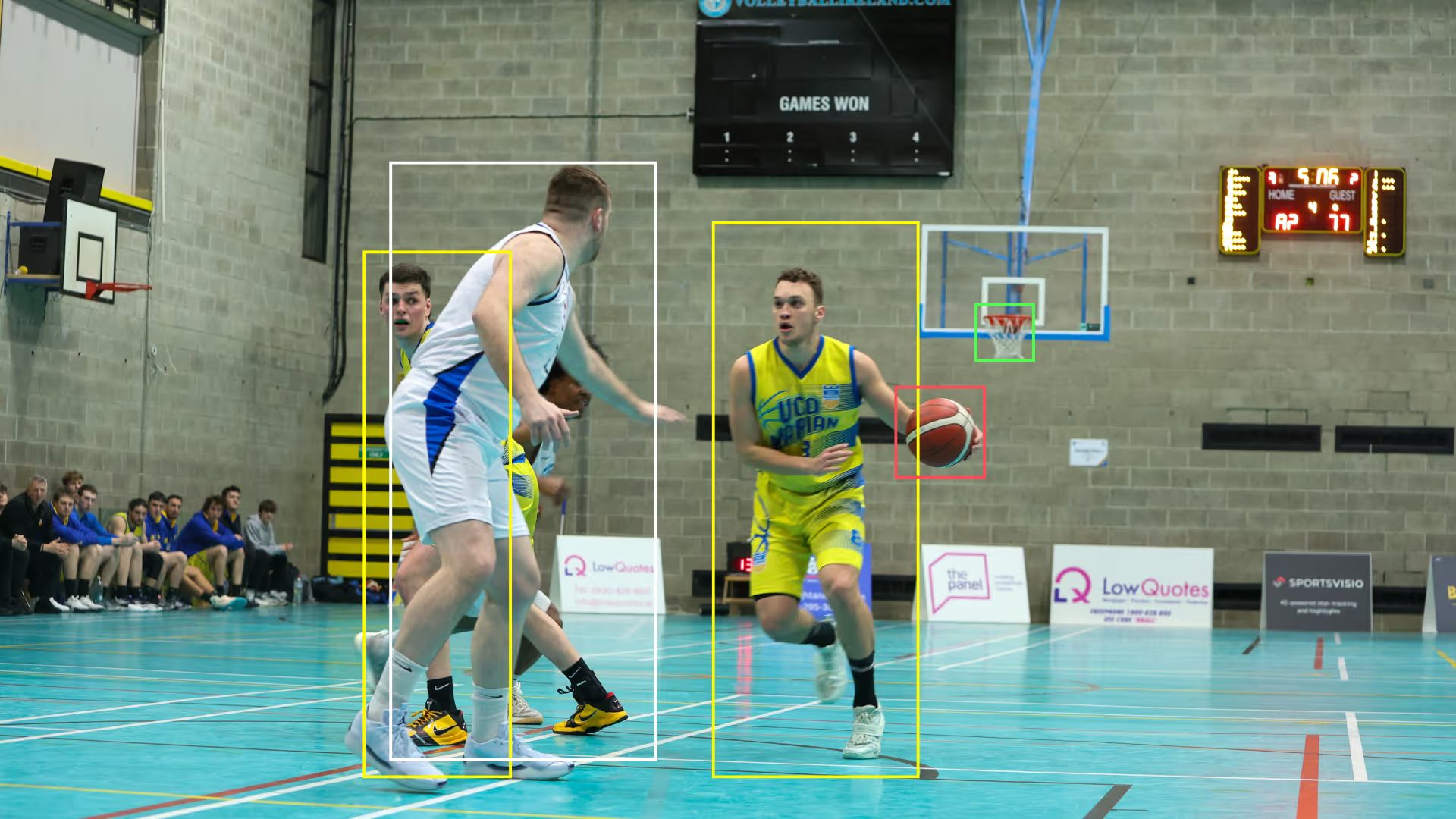
Yes. SportsVisio is built for events where the operator is also the AV team. Each court gets a fixed camera, the AI handles capture, stats, and highlight assembly, and the content is delivered to a shared event hub. No editor, no tagger, no manual upload chase.
Q5: How do families find their athlete's clips without manual searching?
Athletes are identified by uniform number and tied to clips automatically. Families search by team and player in the event hub and see only that athlete's plays, ready to share to social media without editing.

Book a Demo and Get a Free Trial
Set up time to speak with our team and see our product in action.