
.svg)
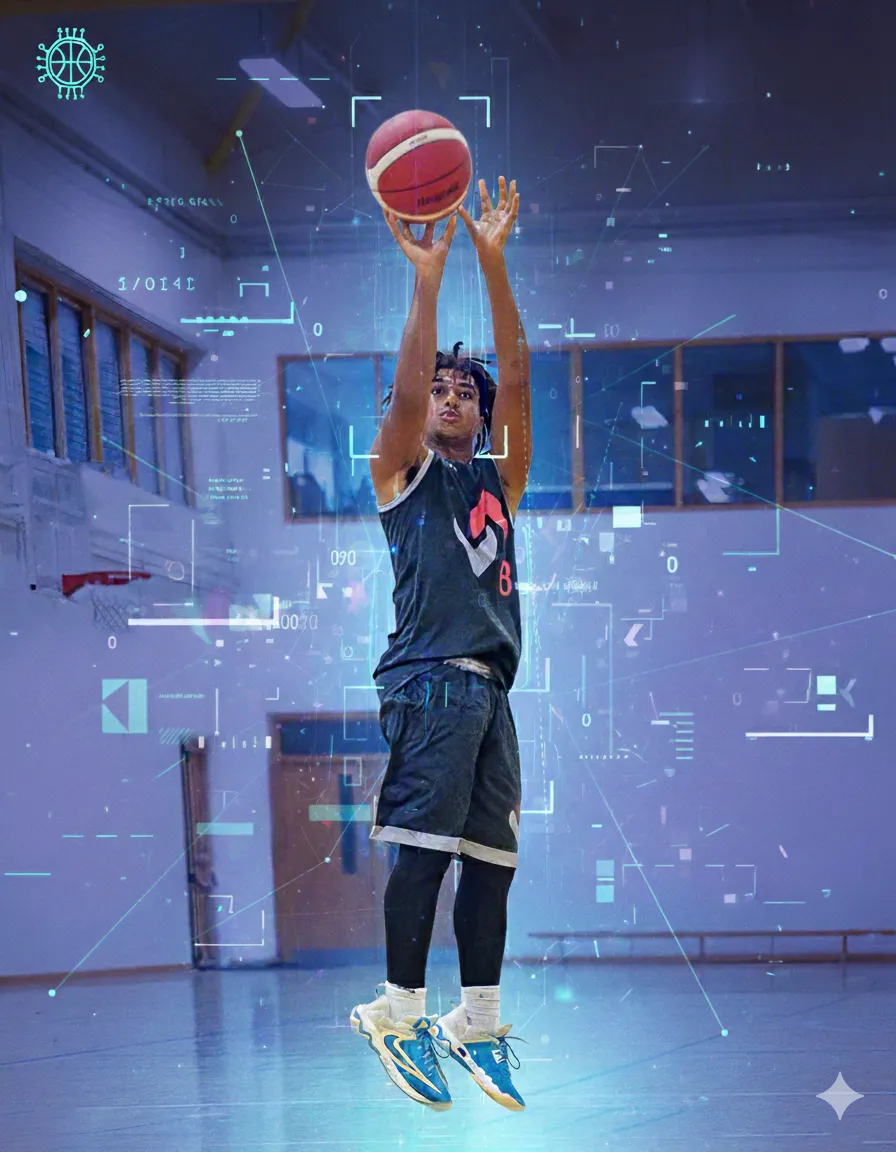
Guide: How to Make a Recruiting Highlight Video College Coaches Will Actually Watch
A great recruiting video is not about flashy edits, music, or a “mixtape” vibe. It is a fast, organized evaluation tool that lets a coach answer three questions quickly.
Can you play at our level, what is your best skill, and can you help us win in our system.
The team at SportsVisio has crafted a practical workflow you can follow to build a recruiting highlight reel that respects a coach’s time and makes your strengths obvious. It is written for basketball families, but should maps well to most sports.
What College Coaches Actually Want
Coaches are not looking for entertainment, they are trying to evaluate players efficiently. Recruiting video matters because it saves coaches time and allows them to screen many athletes without traveling.
The ideal recruiting highlight video is short, and it is focused on your best, repeatable skills. Many recruiting guides land in the same range: keep the primary reel around 3–5 minutes, and keep the number of clips tight.
Organize by skill category, not chronological order
A coach does not need to see your season play out in order. They need to see patterns. Grouping clips by skill makes it easier for a coach to quickly identify what you do best.
For basketball, “skill categories” usually look like this:
- Scoring and shooting: catch and shoot, off the bounce, finishing, free throws if you have pressure reps.
- Playmaking: reads, assists, ball screens, transition decision making.
- Defense: on ball, off ball, closeouts, positioning, communication if it is visible.
- Hustle and intangible plays: rebounds in traffic, loose balls, sprint recoveries.
The first 30 seconds rule
You earn attention early or you do not earn it at all. Multiple recruiting resources emphasize that your best plays should show up immediately, and that coaches may decide whether to keep watching within the first 20–30 seconds.
Practical rule: your first 30 seconds should include your strongest 4–5 clips, and those clips should be easy to understand on the first watch.
What makes coaches stop watching
Coaches stop watching when the video forces them to work. These are the common “friction points” that make evaluation harder than it needs to be:
- The reel is too long, or it starts slow.
- The athlete is hard to identify, especially in wide angles, crowded frames, or similar uniforms.
- The clip selection is noisy, meaning it includes “fine” plays instead of clear, high-value reps.
- The edit hides context, or it does not show the beginning of the action, so the coach cannot evaluate decision making.
- The video includes extras that distract from evaluation. Some college coaches mute audio anyway, so music and sound design rarely add value.
If you do one thing right, do this: make it easy for a coach to see you, your role in the play, and the outcome, and do it immediately.
The 5-Step Recruiting Highlight Workflow
Step 1: Capture
Good recruiting video starts with usable footage. That means stable framing, a clear view of you in the play, and enough resolution to identify jersey numbers and spacing.
Capture checklist for basketball
- Film from a consistent central elevated angle, it makes spacing and reads easier to evaluate.
- Keep the full half court in frame on most possessions, coaches want to see decision making, not just the finish.
- Avoid constant zooming, it makes it harder to track the play.
- Make the scoreboard visible when you can, it adds context for game situations.
- Record full games, highlights are for first pass evaluation, full game film is what coaches ask for next.
When to start filming
It is never too early to start collecting footage, even if you will not use early clips in the final reel. Starting early helps you build the habit and create a library you can pull from when it is time to edit.
Step 2: Organize
Organization is the hidden advantage. Most recruiting reels are not “bad,” they are just hard to review.
Create one folder structure, then stick to it:
- Season folder
- Opponent and date folder
- Full games
- Candidate clips
- Final exports
Add a simple naming convention:
LastName_FirstName_GradYear_School_Opponent_Date_Game#
If you are building toward a reel organized by skill category, tag clips as you go. Even simple tags like shooting, finishing, passing, defense, transition reduce editing time later.
Step 3: Select
Selection is where most families either win or waste time. Coaches want quality, not quantity, and for basketball the common guidance is to keep the reel under four minutes and focus on roughly 20–30 great plays that demonstrate your strongest skills.
Selection rules that work
- Only include plays that show something you can repeat.
- Prefer plays that show both skill and decision making.
- Include plays that translate to your projected role, not just your favorite role.
- Mix outcomes, a great possession can include a correct read that does not end in a make, but it must still be clearly valuable.
If you are not sure which plays to pick, prioritize clips that show:
- Advantage creation, you beat a defender with skill or speed.
- Advantage extension, you make the next pass or read on time.
- Defensive impact, you force a bad shot, create a turnover, or erase an action early.
Step 4: Edit
Editing is not about style, it is about clarity.
Build the structure first, then polish:
- Title card, 5–7 seconds
- Skill block 1, your best skill first
- Skill block 2
- Skill block 3
- Defensive block
- Hustle block, optional
- Short full-game link screen, optional
Keep the main reel in the 3–5 minute range.
Make the first 30 seconds undeniable
Start with your best clips. Recruiting guidance consistently emphasizes that the early portion of your video determines whether a coach keeps watching, and that you should impress within the first 20–30 seconds.
Use identification that does not get in the way
- Freeze the frame briefly before the action and add a simple circle or arrow if needed.
- Keep it consistent, do not change styles every clip.
- If the footage already makes you obvious, skip the graphics.
Do not over-edit
Many coaches mute sound, so music is optional and often unnecessary. Transitions, effects, and aggressive zooms usually reduce clarity.
Step 5: Share
Sharing is part of the workflow, not an afterthought.
Where to host
Use a platform that loads quickly and works on mobile. Many athletes use YouTube, then share a clean link in outreach emails.
What to include with the link
Your video should never be separated from your basic recruiting context. Put this on the title card and repeat it in the email message:
- Full name
- Grad year
- Height and position
- High school and club team
- Location
- GPA and test scores if you want them included
- Coach contact info
- Your phone and email, and a parent contact
Follow up with full game film
A highlight reel gets interest, full game film confirms it. If a coach is interested after your highlight video, they will often want one unedited game to evaluate you in context.
Tools for the Job
The manual process usually looks like this:
- Watch full games and log timestamps
- Export candidate clips
- Rewatch, cut, and order clips
- Add identification and title cards
- Export multiple versions and upload
For many families, this is where the time disappears. Long-form highlight editing can easily take 10+ hours when you include clip hunting, exporting, and revisions, even for experienced editors working fast.
AI-assisted approach
AI can reduce the most time-consuming part, finding the moments worth clipping. Auto-highlight tools are designed to scan long footage and surface key moments, which can save hours of manual searching and trimming.
SportsVisio is built around a simple idea: your best recruiting moments should be easy to find, easy to understand, and easy to share.
With SportsVisio, you can record games, then the platform produces player stats and highlight clips from that game footage, so you are not starting from scratch when it is time to build a recruiting reel. SportsVisio is not a real-time stat system, the video is analyzed after games and returned within a typical post-game turnaround window, which supports recruiting workflows where you want a library of tagged moments you can pull from quickly.
How it fits into this 5-step workflow:
- Capture: record the full game and upload to SportsVisio
- Organize: store games and build a season library.
- Select: use your highlight clips as the “first pass” shortlist.
- Edit: assemble your reel by skill category, and keep it short.
- Share: export and send a clean link, then follow with full game film when requested.
Comparison note for Other Options including Hudl
Hudl is widely used for hosting and sharing recruiting video, and it offers many manual tools for highlights and recruiting workflows.
At a high level, the question is not “Hudl or something else,” it is what you want the system to do for you:
- If your main need is hosting and distributing film, a reliable hosting platform matters most.
- If your main need is reducing manual time spent on breakdown and organization, look at what each platform automates, what data it attaches to video, and how quickly it returns usable outputs.
Timeline: When to Start
Freshman and Sophomore (U15/U16 Age Groupings): build the clip library
Focus on collecting consistent footage and building habits.
- Record full games so you are not dependent on one tournament or one camera angle.
- Start tagging clips by skill category, even if the “final reel” is far away.
- Use each season to improve video quality and organization.
Recruiting guidance commonly notes it is never too early to start collecting video, even if early clips do not make the final cut.
Junior (U17): active outreach
This is the year where the process becomes more intentional:
- Build your primary highlight reel by skill category.
- Keep it in the 3–5 minute range, and make the first 30 seconds your best work.
- Prepare one full game film link that represents you well.
- Start emailing coaches with a short message and a clean video link.
Many recruiting resources recommend having your highlight video ready by the end of junior year, as long as it includes high-level competition.
Senior (U18/U19): refinement
Senior year is not the time to reinvent the wheel, it is the time to sharpen.
- Replace older clips with newer, higher-level reps.
- Tighten the first minute, make sure it matches the role you are being recruited for.
- Maintain two versions if needed: a short primary reel and a role-specific reel tailored to a program’s needs.
Common Mistakes
Too long or too short
Too long is the bigger problem. Many guides recommend keeping a primary recruiting reel under four minutes to hold attention, with the broader standard being roughly 3–5 minutes.
Wrong plays highlighted
A highlight reel is not a memory book. Do not include plays just because they felt big in the moment. Include plays that show translatable skills, and include enough variety to prove it was not a one-off.
Poor video quality
Coaches do not need cinema, but they do need clarity. If they cannot identify you quickly or they cannot see the play develop, evaluation suffers.
Missing contact information
This is the easiest mistake to fix and one of the most costly. If a coach likes your tape, they should not have to hunt for your grad year, position, or contact info. Put it on the title card and in the email every time.
Key takeaways
- The ideal basketball recruiting clip is 3–5 minutes, and it is organized by skill category, not chronologically.
- The first 30 seconds of a recruiting video often determine whether a coach watches the rest, so your best plays should be first.
- Manual highlight editing can take 50+ hours once you include clip hunting and revisions, AI-assisted clipping can remove much of that time by surfacing key moments automatically.
Related Stories
.png)
.webp)
Book a Demo and Get a Free Trial
Set up time to speak with our team and see our product in action.