
.svg)

The Complete League Guide to Getting Started with SportsVisio
Let's be honest: your players have options. There are other leagues, pickup games, and a dozen reasons to skip Sunday. The leagues that thrive aren't just well-organized — they create experiences worth coming back for.
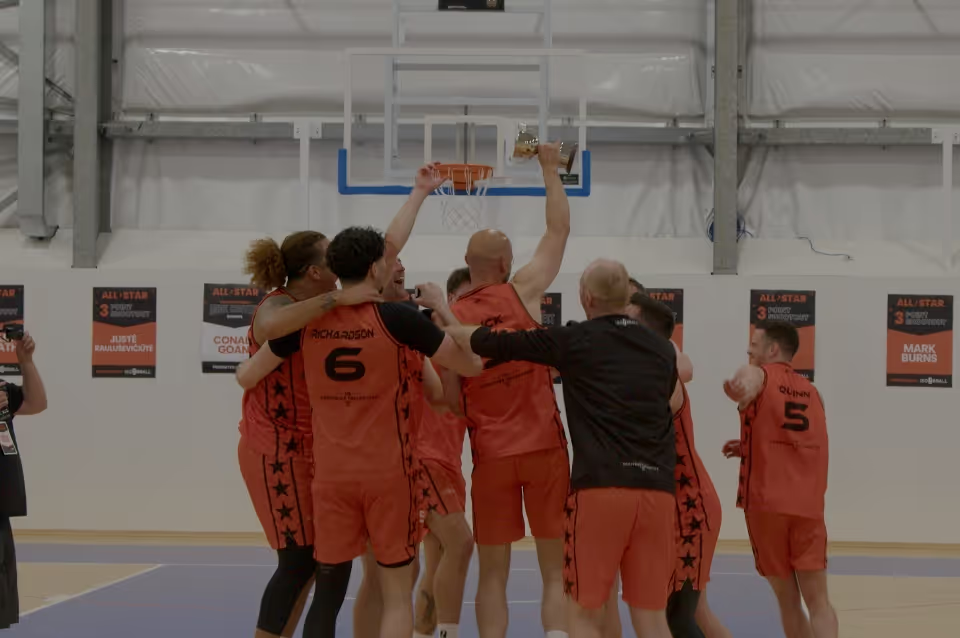
902 Hoops went from 200 to 600 players in 18 months. Their secret? SportsVisio. Stats, highlights, and leaderboards turned rec basketball into a week-long conversation. Players comparing stats. Highlights going viral in group chats. Three players got signed to Halifax's professional team using their SportsVisio profiles.
Southern Alberta started with casual pickup games. Now they're a structured league with 7 teams, a podcast, and a waitlist. The difference? Professional-grade analytics that made players feel like their game mattered.
SportsVisio isn't admin software. It's a retention and growth engine.
The Competitive Advantage
In a crowded market of recreational leagues, SportsVisio becomes your differentiator:
What Other Leagues Offer
- Basic schedules
- Manual scorekeeping
- No video
- Simple standings
- Generic experience
What Your League Offers with SportsVisio
- Automated scheduling with email alerts
- AI-powered automatic statistics
- Full game video and highlights
- Real-time standings with Win %, streaks, point differential
- Professional-grade analytics at every level
What You Get
For League Operations:
- Centralized game scheduling and visibility
- Automated standings updates (no manual score entry)
- League-wide leaderboards by stat category
- Role-based access controls
For Player Engagement:
- NBA-style statistics for every player
- Automated and Custom highlight reels
- Individual player profiles
- Season and career tracking
- One-click sharing
For Marketing:
- Highlight content for social media
- Player testimonials and success stories
- Professional presentation that attracts new players
- Retention through deeper engagement
The Numbers
- 25,000+ players across 16 countries
- 250+ leagues, clubs, and teams powered worldwide
- Millions of data points processed every season
The ROI Case: Numbers for Your Board
If you need to justify SportsVisio to a board or budget committee, here's the math:
Cost: ~$30 per game (depending on plan) For a 10-team league playing 10 games each = 50 games/season = $1,500
Return:
- Retention increase: Leagues report >25% higher player return rates
- New player acquisition: "Professional stats" is a marketing differentiator
- Admin time saved: 5+ hours/week on manual standings and stats
- Premium pricing justification: Players pay more for premium experiences
The Question: If adding stats and highlights helps you retain just 10 more players at $200/season registration, that's $2,000 in retained revenue — more than covering the cost.
Stakeholder Presentation Talking Points:
- "This positions us as the premium league in the area"
- "We compete for players with other leagues — this is how we win"
- "Automated standings save volunteer hours and eliminate errors"
- "Highlights create free marketing content for social media"
- "Player profiles support our youth going through the recruiting process"
Before You Begin: Planning Your Implementation
Key Questions to Answer
Before setting up SportsVisio, consider these questions:
- How many teams/divisions?
- Who will record games?
- What's your budget model?
- Who needs admin access?
- Public or private data?
Contact: [email protected] for custom league pricing
Implementation Timeline
Week 1: Setup
- Create league account
- Configure divisions and teams
- Assign admin roles
Week 2: Training
- Train staff or team managers on recording best practices
- Test uploads with practice footage
- Validate stat accuracy
Week 3: Soft Launch
- Record and upload trial games or the first games of the season
- Monitor for issues
- Gather initial feedback from selected early adopters
Week 4+: Full Operation
- All games recorded and uploaded
- Player focused announcement and onboarding
- Marketing content flowing
Step 1: Set Up Your League Account
Creating Your League Profile
- Go to stats.sportsvisio.com
- Click "Sign Up"
Configuring Admin Access
As the primary administrator, you can grant access to others.
Privacy and Visibility Settings
Control who sees your league data:
Public League:
- Any SportsVisio user can find your league
- Games, stats, and highlights visible to all
- Good for: Leagues wanting maximum exposure
Private League:
- Only approved users can access
- Content restricted to league members
- Good for: Youth leagues, corporate leagues, privacy-focused programs
Step 2: Configure Your League Structure
Setting Up Divisions in Your First Season
Most leagues have multiple divisions. Set each one up:
Example Division Structure:
Your League
├── Men's Competitive
├── Men's Recreational
├── Women's Competitive
├── Women's Recreational
├── Coed
└── Youth (14U)
Creating Teams Within Divisions
Season Setup is where the shape of your league lives — one page for seasons, divisions, teams and rosters. It reads left to right: a season holds divisions, a division holds teams.
- Open Season Setup and pick the season, then the division
- In the Teams column, Create a new team, or Assign existing to pull in a team already in the system
- Each team row then carries its own roster, edit and remove controls
Worth knowing: a team can sit in more than one division across seasons, so assigning an existing team keeps its history rather than starting it over.
Building Rosters
Each team needs a complete roster for accurate tracking:
Option A: Team Managers Enter Rosters
- Send team managers login credentials
- They enter their own player information
- You verify completeness
Option B: League Enters Rosters
- Collect roster spreadsheets
- Enter player data centrally
- Ensures consistency
What a roster row actually needs:
- Jersey number — the one required field
- Player name — optional, but do it: the number is how the AI attributes the stat, the name is how everyone reads it
Open Edit Roster on any team. Add Player puts a new row at the bottom, the bin removes one, then Save Changes.
Best Practice: Lock rosters after a deadline to ensure accurate season statistics.
Step 3: Onboard Your Teams
Communication Template: Introducing SportsVisio
Send this to team managers:
Subject: Your League Now Features Professional Stats and Highlights!
Hi [Team Manager Name],
We're excited to announce that [League Name] has partnered with SportsVisio to bring AI-powered statistics and highlights to every game this season.
What This Means for Your Team:
- Automatic stats for every player after each game
- Individual highlight reels generated automatically
- Team and player profiles with season statistics
- Easy sharing with family, friends, and recruiters
What You Need to Do:
- Download the SportsVisio app (iOS | Android)
- Create an account and find [League Name]
- Follow your team and verify your roster
- Share the app with your players and parents
Questions? Contact [League Admin] at [email].
See you on the court!
[League Name] Admin Team
---
Training Team Managers
If team managers will record games, provide training:
Recording Protocol Checklist:
Camera positioning (center court, elevated)
- Required equipment (phone/camera, tripod)
- Video format (.mp4 or .mov)
- Upload process and timeline
- Contact for issues
Consider: Hosting a 30-minute virtual training session before the season.
Onboarding Players
Encourage teams to share the app with all players:
Player Benefits:
- View personal stats and highlights
- Track improvement over time
- Build recruiting profiles
- Share achievements easily
Step 4: Establish Recording Protocols
Who Records Games?
Decide on your league's recording model:
Option 1: Centralized Recording
- League provides equipment and personnel
- Consistent quality across all games
- Higher upfront investment
Option 2: Home Team Records
- Home team responsible for recording
- Distributed responsibility
- May have quality variance
Option 3: Dedicated Volunteers
- Assign recording volunteers per venue
- Training and equipment provided
- Good middle ground
Option 4: Automated Camera Systems
- Wall-mounted or mobile automated cameras
- Highest consistency, minimal human intervention
- Contact SportsVisio for partner recommendations
Recording Standards
Establish clear standards for all recordings:
Required:
- Camera stable (tripod required)
- Recording starts before tip-off, ends after final buzzer
- Upload within 24 hours of game
Recommended:
- Elevated position (stands, balcony)
- Clear view without obstructions
- Backup power for camera
Equipment Recommendations
Basic Setup (Per Court):
- Smartphone or camera: $150 (or use existing)
- Tripod: $25–75
- Phone mount: $15–25
- Power bank: $20–40
Total Basic Setup: $210–290 per court
Premium Setup:
- Dedicated AI cameras
- Multiple angles
- Automated panning
- Contact SportsVisio for recommendations
Upload Workflow
Establish a clear workflow for getting footage into SportsVisio:
Recommended Process:
- Game ends
- Recording saved to device
- Video uploaded via SportsVisio within 24 hours
- SportsVisio processes the footage
- Stats and highlights available
- Notification sent to league and teams
Deadline: Establish a league-wide upload deadline (e.g., "All games uploaded by Monday 6pm for weekend games")
Handling Recording Pushback
Some teams will resist recording. Here's how to address common objections:
"We don't have time to record." → "It's a phone on a tripod. Set it up in 2 minutes, upload when you get home. Your players get professional stats in return."
"We don't care about stats." → "Your players do. This is a value-add that keeps people coming back."
"What if we forget?" → "No recording = no stats for that game. The opposing team still gets theirs. Your players will remind you after they miss out once."
"The quality won't be good enough." → "A phone at center court is all we need. SportsVisio processes footage from basic smartphones every day."
Step 5: Manage Games and Standings
Schedule Management
SportsVisio provides centralized scheduling:
Three ways to get a schedule in, from the Games page:
- New Game — one fixture: home and away team, each side's jersey colour, date, time and timezone
- Bulk Create — a row per fixture (teams, start time, timezone) so you can put a block of the season in at once
- Import CSV — for a full season out of whatever system you schedule in
Jersey colour is required on both sides, so set it as you go rather than fixing it later.
Automated Features:
- Email alerts sent to teams
- Games appear on team calendars
- Easy rescheduling with notifications
Standings: the Rankings Page
Standings live under Rankings, and they go well past win-loss. The table is grouped into four blocks:
- Record — W-L, home, away, current streak and recent form
- Efficiency — net rating, adjusted offence, adjusted defence, adjusted tempo
- Scoring — points per game, opponent points, differential
- Context — strength of schedule, and luck
Adjusted efficiency is the one to point your coaches at: it accounts for who a team has actually played, so an easy early schedule stops flattering a record.
How it fills in: a game is uploaded, the AI processes it, and the team and player numbers follow from that without anyone typing a score into a spreadsheet.
No more manual score entry. No more errors. No more "I forgot to update standings."
Playoffs and Brackets
When the regular season is done, Playoffs is where the bracket lives — seed it from the standings, and the season champion is recorded against the division once it is decided.
League Leaderboards
Engage players with league-wide stat leaders:
Leaderboard Categories:
- All Stat Categories
- Totals and Averages
How to Use:
- Post weekly leaders on social media
- Announce leaders at games
- Create end-of-season awards from data
Step 6: Engage Players and Parents
Driving App Adoption
The more players and parents using the app, the more value your league delivers.
Strategies for Adoption:
- Make It the Default
- Announce that schedules and standings live in the app
- Direct all official communication through SportsVisio
- Weekly Highlight Posts
- Share top plays on league social media
- Tag teams and players
- Create FOMO for those not engaged
- Player of the Week
- Use stats to identify top performers
- Announce via app and social media
- Drive players to check their own stats
Building Community Through Data
"When I promote the league with highlights from the current league, they'll say 'that could be me, I want to do that.'"
Community-Building Ideas:
- Weekly Wrap-Up: Share top stats and highlights from the weekend
- Player Spotlights: Feature stories using real data
- Rivalry Games: Build anticipation with head-to-head stats
- Season Reviews: End-of-season awards driven by actual numbers
- Social Sharing: Encourage players to share their highlights — every share is free marketing
Marketing Your League with SportsVisio
Content Creation
Two sources. The first is automatic, off every processed game: 90-second recaps, player highlight reels, and stat-specific clips.
The second is the Social page, which builds share-ready graphics in three steps — choose a template, select the content, preview and share:
- Post-Game Result — final score, team logos, top performers, date
- Player Game Performance — one player's statline with shooting splits
- Player Season Card — season averages and shooting percentages
- League Standings — the division table with records and rankings
That standings graphic is the one most leagues end up posting weekly.
Attracting New Players
Use SportsVisio as a recruitment tool:
Messaging:
- "The only recreational league with professional-grade stats"
- "Your highlights. Your stats. Every game."
- "See yourself like never before."
Proof Points:
- Show sample stats and highlights
- Share player testimonials
- Demonstrate the app experience
Retention Through Engagement
Players who engage with their stats stay longer:
Retention Strategies:
- Share stats within 24 hours of each game
- Recognize milestone achievements
- Create season-long competitions
- Provide off-season stat access
Advanced Administration
Multi-Division Management
For leagues with many divisions:
Best Practices:
- Assign division-level admins
- Standardize recording protocols across divisions
- Create division-specific communication channels
- Roll up to league-wide leaderboards
Data Export and Reporting
Export data for external use:
Available Exports:
- Game stats (CSV)
- Season statistics
- Player reports
- Standings history
API Integration
For leagues that want to go deeper:
- Pull stats into your website
- Automate social media posting
- Connect with registration systems
- Build custom dashboards
Contact [email protected] for API access.
Support Resources
Self-Service:
- Help Center: intercom.help/sportsvisio
- FAQs: sportsvisio.com/faqs
Direct Support:
- Email: [email protected]
- In-app chat
- Response time: Typically within 24 hours
League-Specific Support:
- Dedicated success manager for larger leagues
- Contact sales for enterprise support options
Success Stories
Southern Alberta Hoops Hub League
The Challenge: Started as casual pickup games in Spring 2022. Manual stat tagging took hours late into evenings. Needed professional stats without exceeding budget.
The Solution: Implemented SportsVisio's affordable, app-based platform.
The Results:
- Grew from pickup games to a structured league with 7 teams
- Player engagement expanded from Sunday games to a week-long experience
- Analysis reduced from hours to minutes
- Community deepened through stat-driven conversations
- League podcast gained fresh material from statistics
What's Next: Badges for achievements, all-time leaderboards, advanced analytics.
902 Hoops (Atlantic Canada)
The Background: Atlantic Canada's largest adult basketball league.
The Challenge: Managing stats manually was overwhelming — watching 12 games a day, pausing and rewinding footage for hours.
The Solution: SportsVisio AI-powered platform.
The Results:
- Player base grew from 200 to 600 in 18 months
- 3 players signed with Halifax's professional basketball team
- Platform became "the connective tissue between players, coaches, recruiters, and families"
What's Next: Launching youth divisions (U10–U16).
Questions? Reach out to [email protected]
Welcome to the future of recreational league management.
Guide Version: September 2026 For the latest information, visit sportsvisio.com

.webp)
Book a Demo and Get a Free Trial
Set up time to speak with our team and see our product in action.