
.svg)
Coach Mode 26: The Scout Drafts Itself
Most coaches I talk to spend more time clipping film than coaching off it.
That's the problem we rebuilt Coach Mode around this year. Less time cutting video, more time on the stuff that wins games. It's all live now at stats.sportsvisio.com.
First, the one everybody asks about: we got a lot faster. Games come back by the next morning, often within 6 hours of you sending us the film.
Here's the full rundown. If you'd rather watch it, it's all in this video, under two minutes:
A homepage that actually tells you something
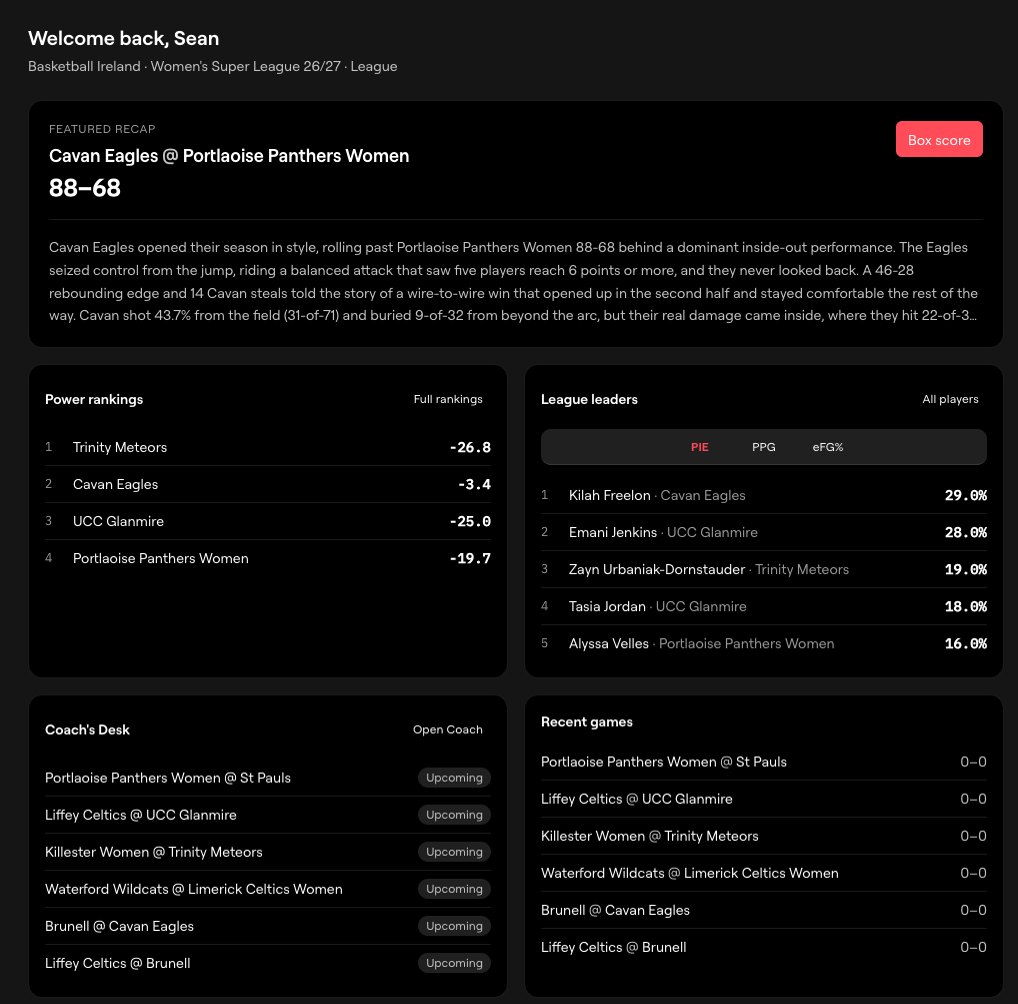
The homepage now shows Power Rankings, League Leaders, and the last game your team played. There's also a new Coach Home Page with key insights on your season, and it's where the new scouting tools live.
We also made the product easier to run on your own. Every program now has three roles: Admin, Coaches, and Users. Each gets a different level of access. Your players are users, and you can invite them by email any time from the Settings menu.
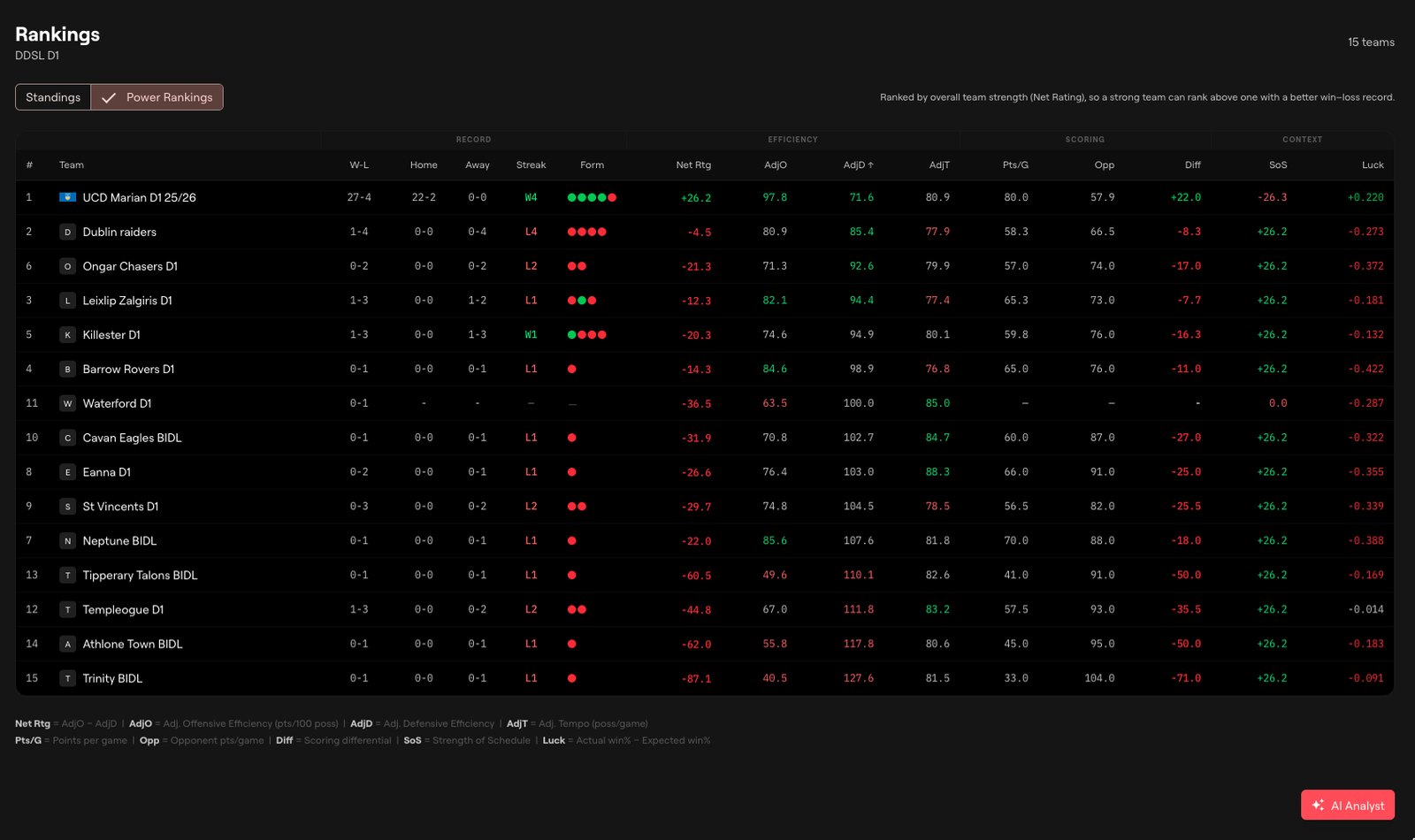
League rankings, every column sortable
Who's playing the best defense. Who's playing the fastest. Who's most effective away from home. Sort any column and you've got the answer. It's under the Rankings menu.
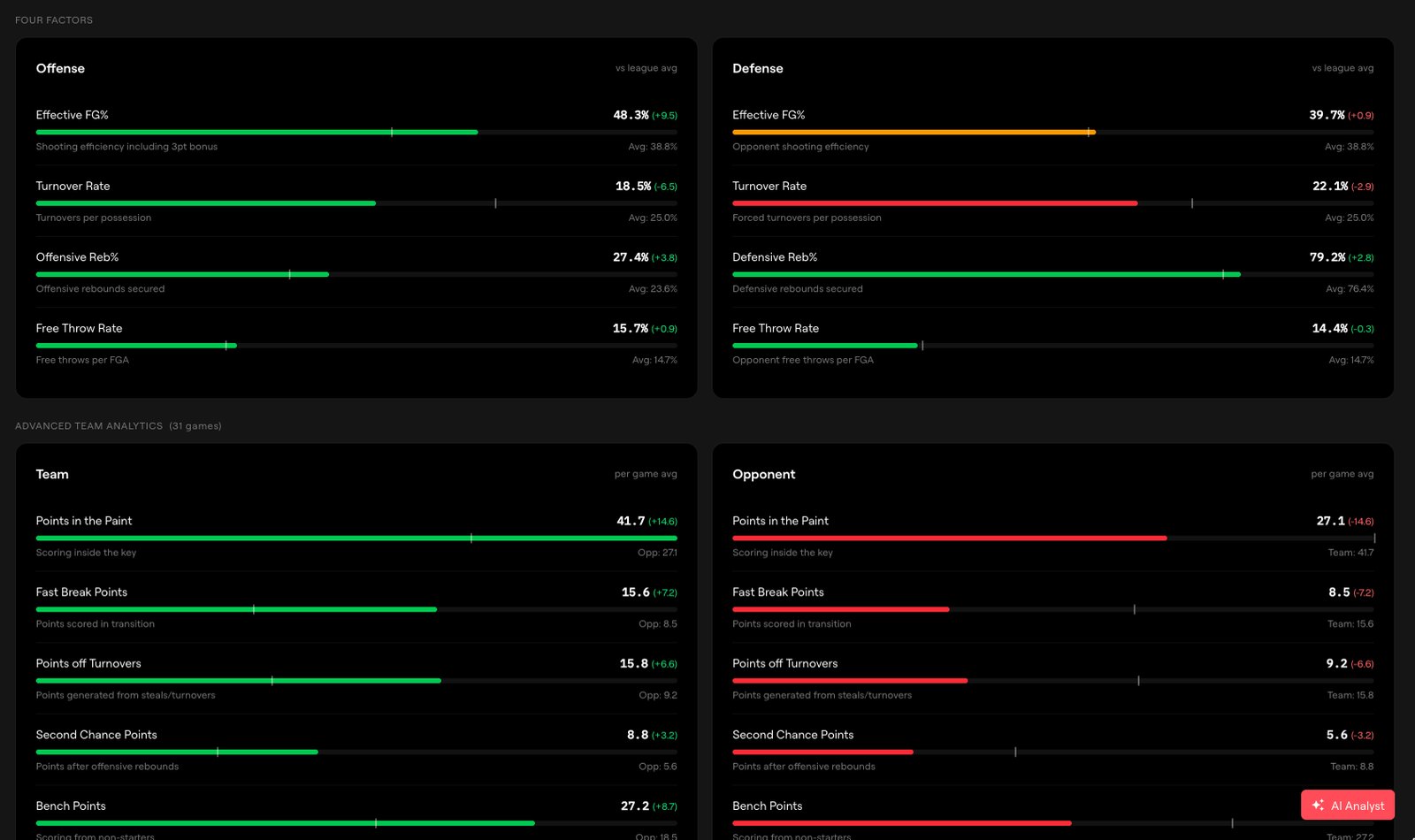
Advanced stats on every page
We threw the NBA advanced analytics playbook at this release, and it shows up everywhere, not on one buried tab. Compare your team against your opponent, with color coding so you can see at a glance where you're winning and where you're getting beat.
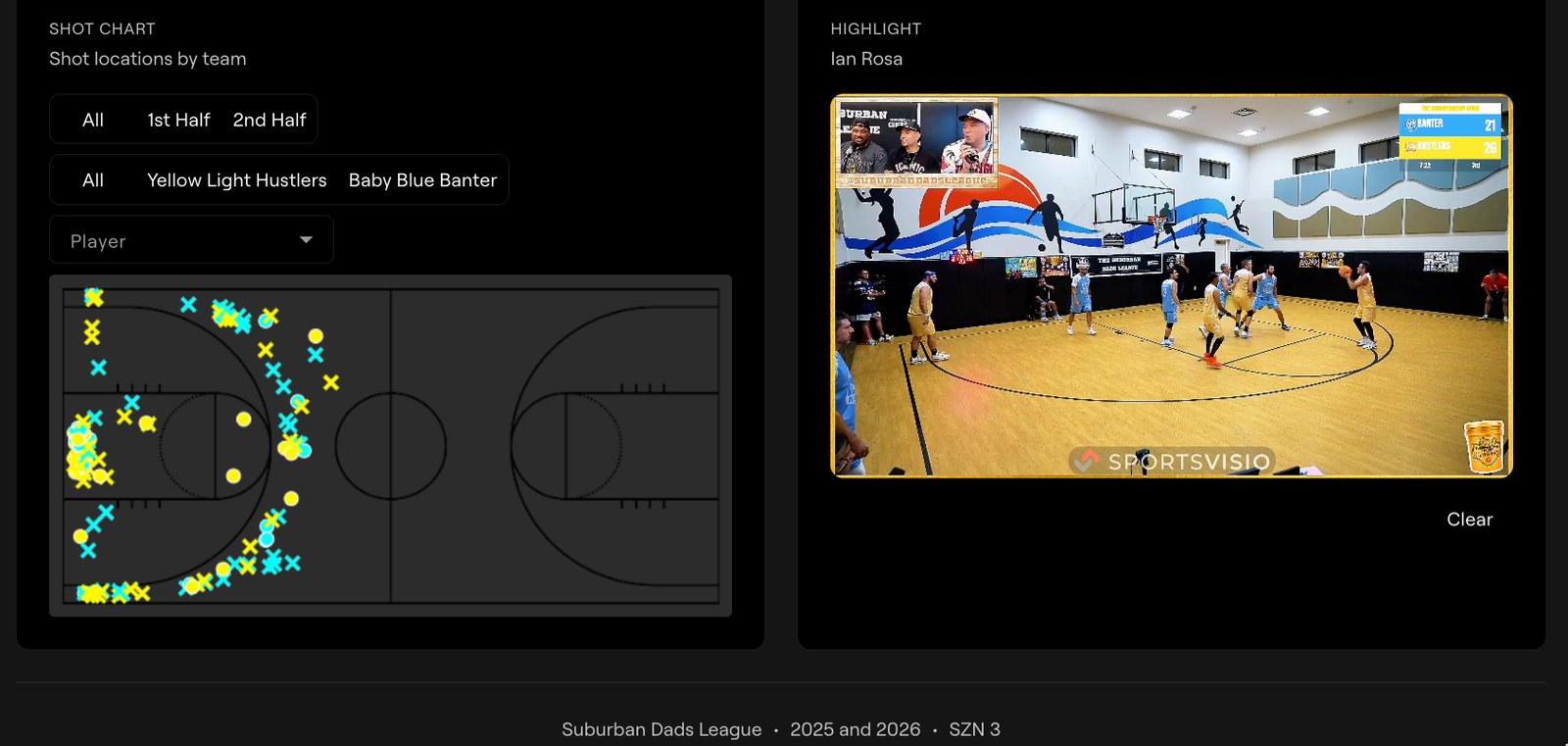
Shot charts at every level
Season, game, team, and player. You see how you're shooting by zone and how much volume is coming from each spot. At the game level, click any shot on the court and the clip plays.
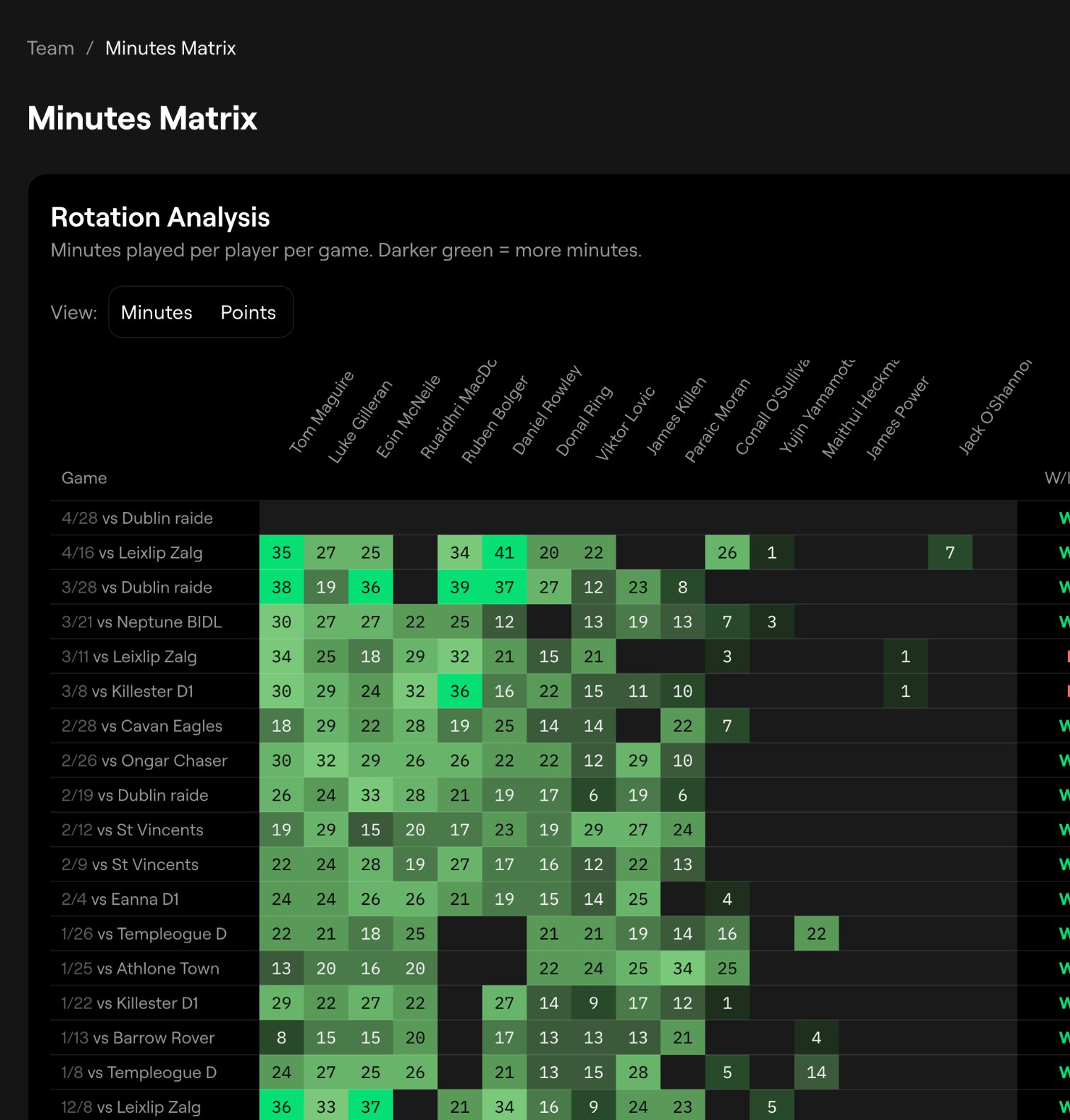
Where your minutes are going
The minutes and points matrix gives you the full season in one view: who's playing, and who's producing when they do. It's also the clearest way I've seen to show what an injury or a long absence did to your starters.
Scheduling and uploads that don't fight you
Schedule one game or a whole block of them in bulk. From the schedule you can jump to the game summary, or hit upload and attach the film for analysis.
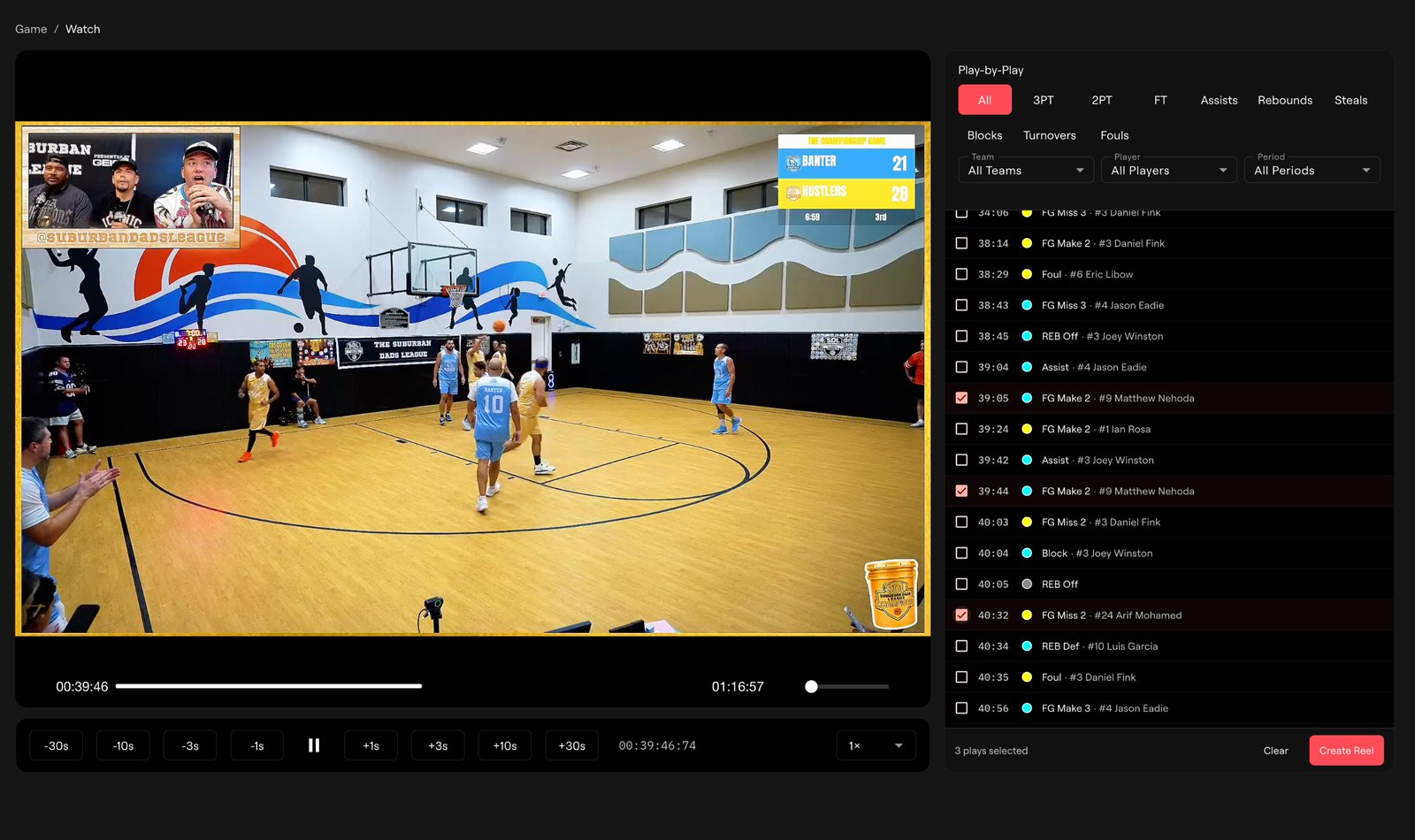
A better way to watch the game back
The Game Watch page does a lot now. Review the film, jump straight to the moments you care about, and rewind 1, 3, 10, or 30 seconds. Filter the clips you want, select them, hit Create Reel, and it's in your Film Room in a couple of minutes.
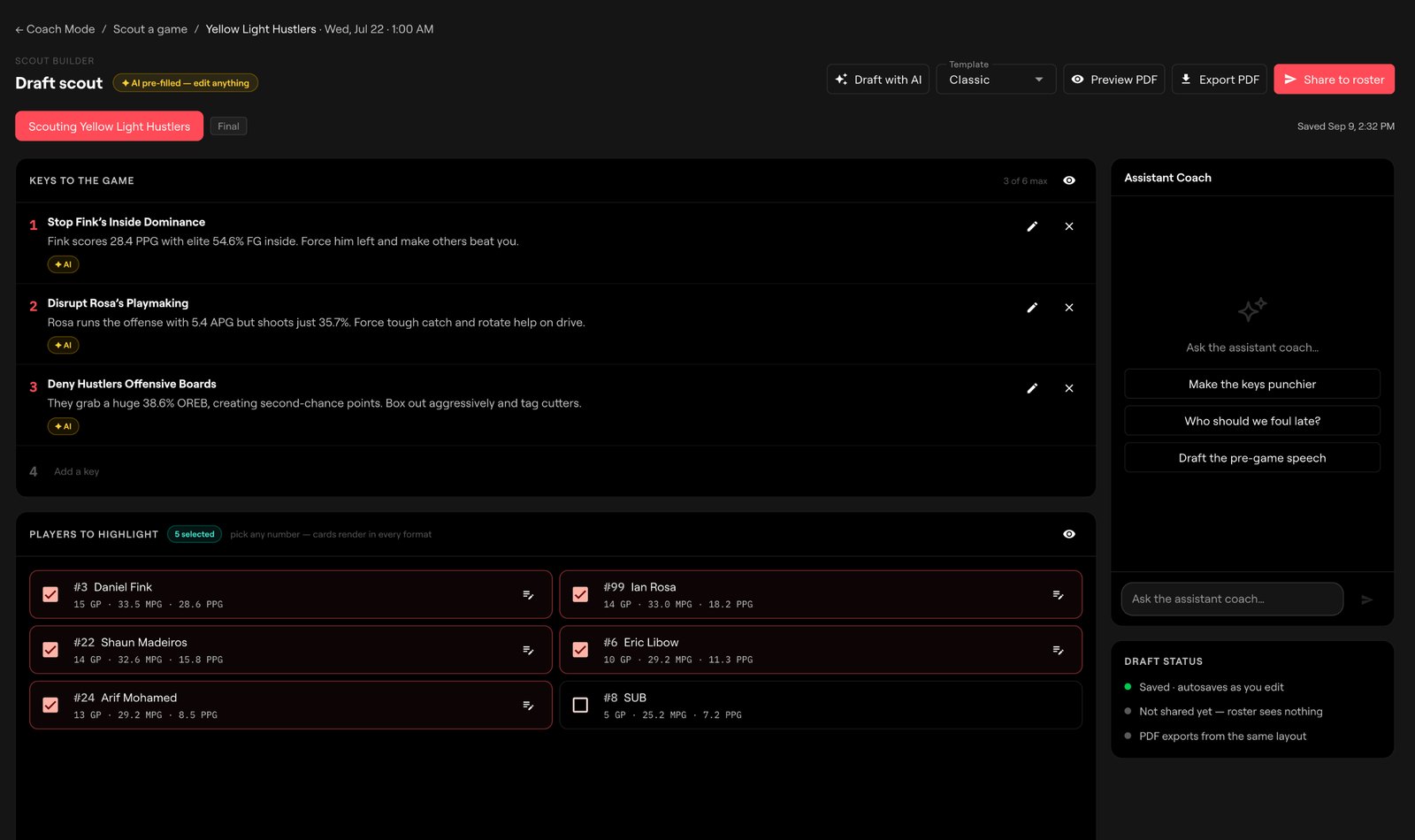
The scout drafts itself
This is the one we're most excited about.
Go to the Coach menu, create a scouting report for your next opponent, and hit Draft with AI.
Say you're playing Central again. The draft already knows what happened last time: you got outrebounded, but you got to the line in the fourth and made your free throws to close it out. We fill in the box score detail. You add what you saw in practice this week, and attach the Film Room reels your players need to watch before they hit the floor Saturday night.
Share it as a link or a PDF, and see who's actually opened it.
After the game, you get graded
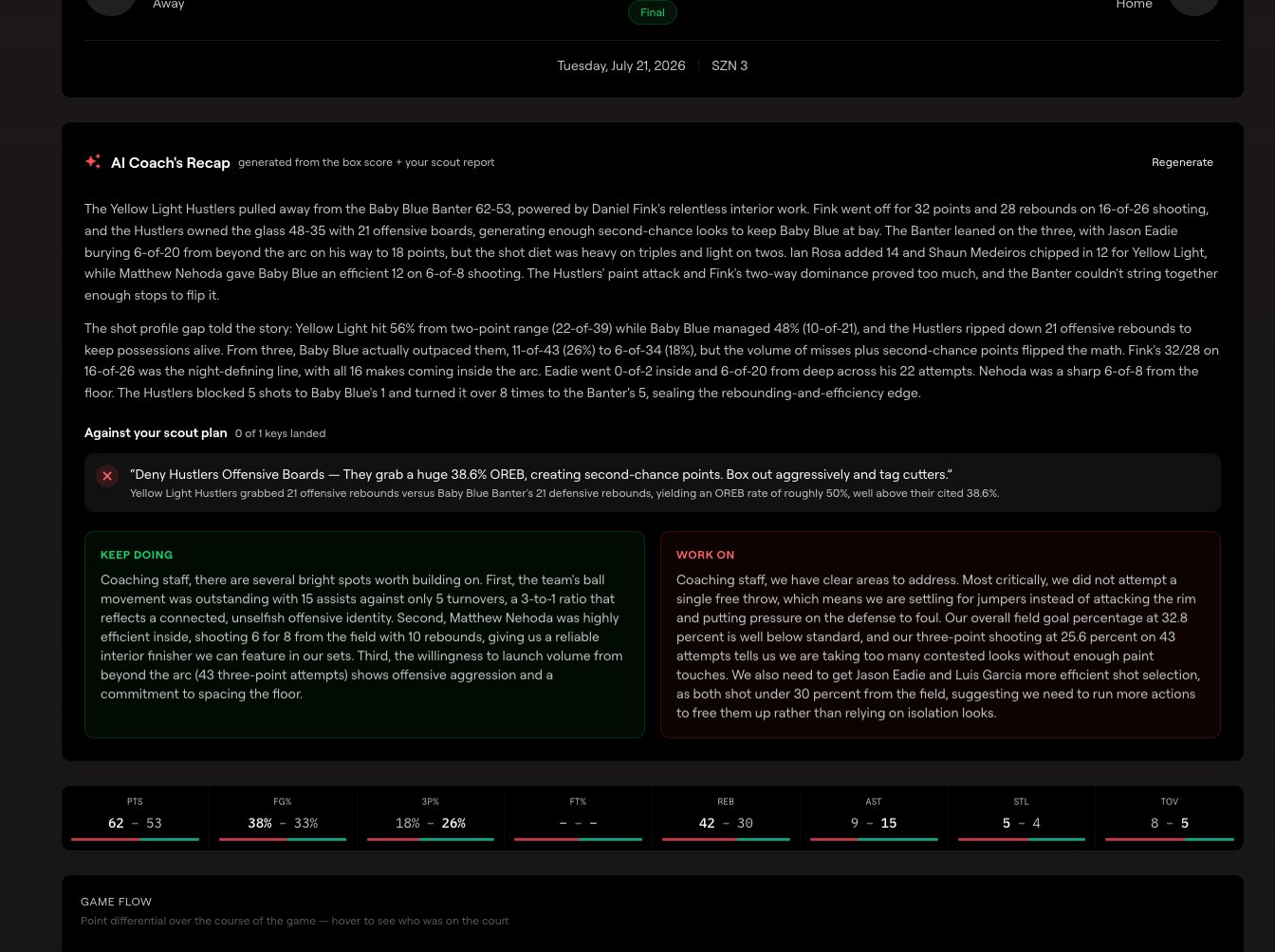
Every game now has a full review page. The AI Coach's Recap reads the game back against the scout you published. You set four keys going in, and we track how you did on each one.
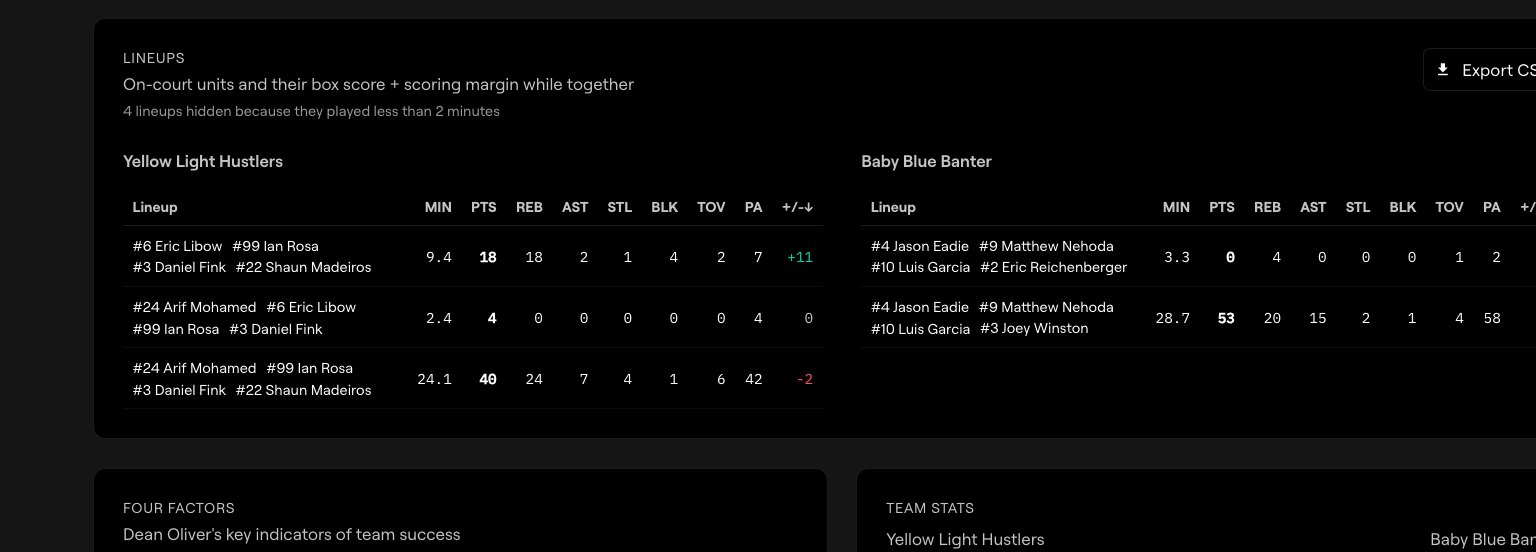
Coaches kept asking for lineup efficiency, so it's in. On the game page you can see how every five-player combination did together. I like sorting by plus/minus to see which groups held up at both ends.
Two things we're building
Telestration. Open a clip in the Film Room, draw on it, talk over it. Arrows, circles, boxes, and a cone for showing where he's forcing the ball. Slow it to quarter speed, step through frame by frame, and pin a mark so it holds for the whole clip. Your marked-up version saves as a new clip and the original reel stays untouched, so you can send it to one player without wrecking the team reel.
The editor is built and we're testing it now.
Playbook. A play designer inside Coach Mode. Drag your five into place, add a step, reposition, hit play, and it animates. Save it to a team playbook, attach it to a scout, and publish it to your roster so players see the play in the app next to everything else you send them.
That one's earlier. The design is written and we're building it this month. If you draw plays today, tell us what you use and what you'd never give up about it.
Both will be ready for the business end of your season.
Renew for 26/27
Coach Mode is $750 for the season, 20 games included. Everything above is in it: the scout builder, publishing with read receipts, the game review page, film, shot charts, reels, and roster controls. Telestration and Playbook land in the same seat when they ship. No upgrade, no extra charge.
Running a club, a league, or more than one team? Talk to us and we'll set you up properly instead of you buying one seat at a time.
The film's already on the server by Sunday morning. The scout for next week can be too.
Related Stories
.avif)
Book a Demo and Get a Free Trial
Set up time to speak with our team and see our product in action.